

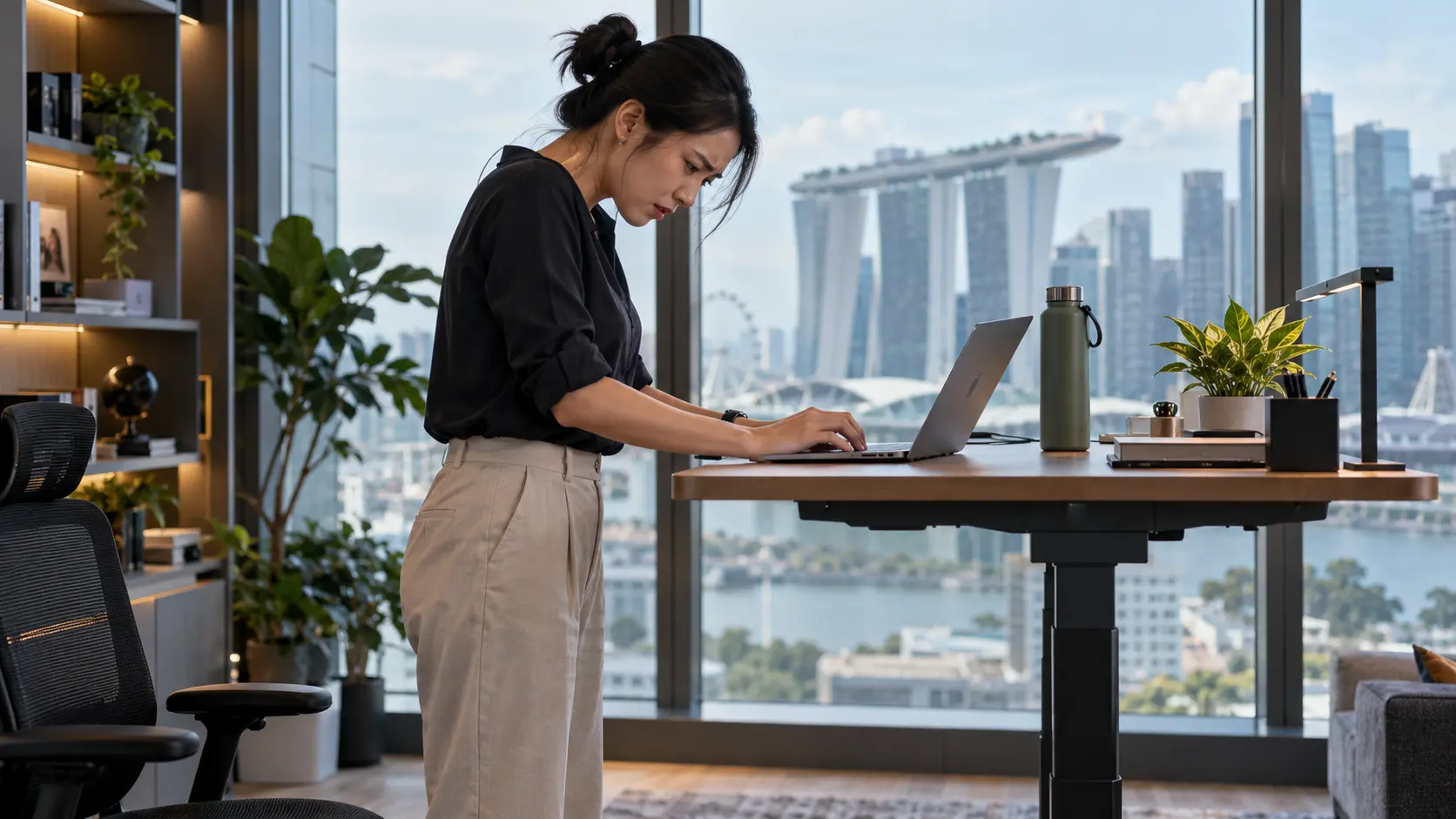
You are about to spend S$800 to S$1,500 to fix your neck. Before you do: a standing desk is one of the best purchases you can make for how you work, and one of the worst things to rely on to fix tech neck. Those are not contradictions.
Here is the honest, clinical read on Omnidesk vs Secretlab MAGNUS Pro vs EverDesk Max, what the research actually shows about standing and the neck, and the one thing a desk of any price cannot do.
The short version
- No standing desk automatically fixes tech neck. You can stand with your head jutting forward just as easily as you can sit that way.
- The benefit of a sit-stand desk is breaking up static sitting and making a neutral screen height easier, rather than “realigning” anything.
- Clinically, for tech neck the three are close: EverDesk Max for height range and posture reminders, Secretlab MAGNUS Pro for cable management, Omnidesk as the configurable all-rounder.
- The desk matters far less than the monitor arm, screen height, keyboard position and how often you change posture.
- If your neck curve has already flattened, a better desk lowers the daily load but does not put the curve back. That is a different problem with a different fix.
Related reading
The Quick Verdict
No standing desk fixes tech neck on its own. It helps by interrupting long stretches of sitting and by making it easier to get the monitor to a neutral height, but a low or badly placed screen will keep your head pushed forward in either position, sitting or standing. The brand you buy matters less than what you put on top of it and how you use it.
For tech-neck potential specifically, and not overall product quality, this is the honest ranking:
- EverDesk Max: best for correcting setup limitsThe widest height range of the three (about 60 to 124 cm), so a lower minimum for shorter users, plus sit-stand reminders that actually make you change position.
- Secretlab MAGNUS Pro: best for a clean multi-screen setupBest-in-class cable management and a monitor-arm ecosystem, which makes a tidy dual-monitor build easy. Those features organise cables, rather than your neck.
- Omnidesk: best flexible all-rounderStrong load rating, programmable presets, anti-collision, and plenty of tabletop options. A well-configured Omnidesk beats a badly configured EverDesk for your neck.
What the Research Actually Shows
The evidence on standing and the neck is genuinely mixed, and worth reading before you spend, because it says something different from the marketing.
Standing improved head posture and reduced neck muscle fatigue over 30 minutes, compared with sitting, in one small trial.
In a 2024 controlled study of 24 people with forward head posture (Lee & Lee), participants were randomly assigned to a traditional desk or a standing desk for a 30-minute typing task. The craniovertebral angle significantly worsened in the seated group and significantly improved in the standing group, levator scapulae fatigue differed between them, and the seated group reported increased neck and shoulder discomfort. Encouraging, but it is a short lab study of 24 people, 12 per group, rather than proof that a standing desk permanently corrects posture.
Zoom out and the picture holds up, with limits. A three-month randomised trial of 74 Japanese desk workers (Ma and colleagues, 2021) found the sit-stand desk group significantly reduced sitting time at work and reported reduced neck and shoulder pain compared with controls. A Cochrane review (Shrestha and colleagues, 2018) is more cautious: it found only low-quality evidence that sit-stand desks reduce sitting time in the short and medium term, with no long-term evidence and uncertain health benefits. The takeaway from all three:
- A sit-stand desk can reduce static sitting and may ease neck and shoulder discomfort.
- It does not “realign” the neck, and standing still for hours is no better than sitting still for hours.
- The benefit comes from changing posture and interrupting long sitting, rather than from standing itself.
- Standing does not replace walking or exercise; keep those separate.
- Any claim that a desk “fixes tech neck” is stronger than the evidence supports.
Omnidesk vs Secretlab vs EverDesk
All three are good frames. For the neck, the differences that matter are height range (can you get the screen to eye level, and can a shorter user get low enough?), whether it nudges you to move, and whether the cable and monitor-arm setup lets you place the screen properly.
The three compared for tech-neck potential and setup flexibility, rather than overall quality. Specifications change: confirm current figures with each manufacturer.
| Desk | Height range & specs | Neck-relevant strengths | Watch-outs |
|---|---|---|---|
| Omnidesk Classic | 74 to 121 cm, dual motor, up to 130 kg, 4 presets, anti-collision | Robust, configurable, good cable management, strong local support in Singapore | Higher 74 cm minimum can be tall for shorter users; the desk alone does not solve laptop or screen height |
| Secretlab MAGNUS Pro | 65 to 125 cm, up to 120 kg, integrated power column, full cable tray | Best cable management; monitor-arm and mount ecosystem makes a clean multi-screen build easy | Premium price, very heavy (~68 kg); neck benefit depends entirely on buying and setting the monitor arm right |
| EverDesk Max | 60 to 124 cm, up to 120 kg, presets, sit-stand reminders, anti-collision | Widest range and lowest minimum here; reminders drive real position changes; good for shorter users and mixed work | Check warranty and accessory bundles; cable management may cost extra |
Notice what decides the neck outcome in every row: it is the height range and whether the setup lets you place the screen at eye level and change position, rather than the frame itself. That is why a S$1,500 desk and a S$500 desk can produce identical necks.
What Owners Actually Say
The forums are consistent, and useful, once you separate the frame from the neck. Presented as anecdote, not evidence:
Recurring themes from owners (Reddit, SG and beyond)
- Most owners of all three are “glad I bought it,” mainly for breaking up sitting, and add that the desk does not fix posture on its own.
- Secretlab MAGNUS Pro: loved for build and cable management (“cable management becomes trivial”); a minority report defects, and many note it is very heavy and shallow-ish in depth.
- Omnidesk: strong reviews in Singapore for stability and support; much harsher experiences reported for Omnidesk Australia, so region matters.
- EverDesk vs Omnidesk: seen as close, sharing the same underlying lifting columns; EverDesk often wins on tabletop finish and the sit-stand reminders, some feel Omnidesk is slightly more rigid at full height.
- The strongest cross-brand takeaway: the comfort win comes from a good monitor arm, a standing mat and a sit-stand routine, rather than from the brand.
In other words, the internet’s most obsessive desk buyers keep arriving at the same conclusion a clinician would: the frame is the easy part.
How a Standing Desk Makes Tech Neck Worse
This is the part the product pages skip. A standing desk can leave your neck no better, or actively worse, in very common ways:
Standing badly
- Monitor left at seated height, so you look down while standing
- Desk raised so high the wrists bend up and shoulders shrug
- Leaning toward the screen on your feet
- Standing rigidly for hours without walking
The laptop trap
- A bare laptop keeps the screen far too low
- Raising the laptop fixes the neck but wrecks the wrists
- Off-centre screen adds sustained neck rotation
- No separate keyboard and mouse
Raising the desktop without raising the monitor simply builds a standing version of the exact forward head posture you were trying to escape. The screen has to come up with the desk. If your screen sits off to one side as well, our guide to ultrawide against dual monitors covers the rotation problem that adds.
The Standing-Desk Posture Rules
Whichever desk you buy, these are the settings that actually protect the neck. They follow standard occupational guidance (OSHA): keep the head and neck balanced in line with the torso, with the monitor directly in front of you and the shoulders relaxed.
- Screen at eye level, both heightsTop of the monitor at or just below eye level, about an arm’s length away, with the most-used content roughly 15 to 20 degrees below horizontal. Set this for sitting and for standing, and save both.
- A monitor arm, rather than the desktop, sets the screenThe single highest-value accessory. It lets the screen sit at eye level independent of desk height, which the frame alone cannot do.
- Elbows near 90 degrees, shoulders downSet desk or keyboard height so forearms are roughly level and the shoulders stay relaxed, not shrugged. Raising the desk too high is a common standing mistake.
- Laptops need external gearA stand plus a separate keyboard and mouse, always, or the neck-versus-wrist trade-off makes one of them worse.
- Centre the screenDirectly in front of your nose, so you are not rotating your neck to your main window all day.
Clinical note
People show me a receipt for a beautiful desk and ask why their neck is no better. Almost always, the monitor never moved. They raised the desk and kept looking down at the same low screen, just standing up now.
If you buy one thing after the desk, buy the monitor arm. It is the part that actually decides where your head sits.
A Sit-Stand Routine That Works
Use the desk to add movement, rather than to stand all day. Standing rigidly for eight hours just swaps one static posture for another. A practical starting rhythm:
- Sit 40 to 50 minutesThen switch, before stiffness sets in rather than after.
- Stand 10 to 20 minutesFor lighter tasks: reading, calls, email. Use a standing mat.
- Walk 2 to 5 minutes every hour or twoThis is the part that matters most, and the part standing does not replace.
- Change before discomfort, rather than afterSit down the moment feet, calves, lower back or shoulders fatigue.
The exact ratio matters less than avoiding long, unbroken stretches in any one position. In the workplace trials, standing mostly replaced sitting; it did not replace walking or exercise, so keep those separate.
When the Desk Is Not the Problem
Here is the ceiling every desk hits. Ergonomics reduces the daily load on your neck. It cannot repair load that has already changed the structure. If years of screen work have flattened your neck’s natural curve or fixed your head forward of your shoulders, a better desk lowers how much you reload the tissue each day, but it does not put the curve back. That is why some people optimise everything and still ache by mid-afternoon.
✓ What a good desk and setup fix
- Long stretches of static sitting
- A screen that sits too low or off to one side
- Muscle fatigue from a forward-held head
- How comfortable the working hours feel
✗ What no desk can fix
- A flattened or reversed cervical curve
- A head that sits forward even when you stand square
- Joint restriction that keeps reloading the pattern
- Alignment you can measure on X-ray, not feel
For most people, the desk plus the posture rules above are genuinely enough. If you are in the minority whose neck pain keeps returning no matter how dialled-in the setup, the driver is often structural rather than muscular, and that is a different problem with a different fix. If you are unsure whether to keep adjusting or get it looked at, the 14-day triage guide walks through that decision.
How an assessment here works
This is measure-first care: the assessment rests on a standing X-ray of your neck, not on how it looks or feels.
- Bring your films if they are less than a year old, or the clinic can help arrange them.
- Arm pain and tingling are assessed here; a possible nerve or cord-damage sign, losing the ability to tell a key from a coin by touch, is referred to a spine surgeon.
- Cost: care is non-MOH and not Medisave-claimable.
Seek urgent medical care first for weakness, spreading numbness, unsteadiness, or pain after an injury.
Optimised the desk and still aching by 3pm? That is usually the ceiling, rather than a missing accessory. A standing-X-ray assessment shows whether structure is the reason, and you can see how other Singapore patients progressed first.
Book a pain assessment →One honest money-saver: if you already own a fixed desk, a monitor arm and a corrected screen height will usually do more for your neck than replacing the whole frame. Buy the desk for the movement and the standing option; do not buy it expecting it to treat your neck. For professionals who would rather stay ahead of the problem than react to it, proactive neck health is the clinical version of that same instinct. And a recurring, radiating, or numb-and-weak neck belongs with a clinician, not a checkout page. Related desk-worker reading: neck and shoulder pain and upper back pain.
Frequently Asked Questions
Do standing desks fix tech neck?
No. A standing desk helps by breaking up sitting and making a neutral screen height easier, but it does not correct tech neck on its own. You can stand with your head pushed forward just as easily as you can sit that way. In studies, standing improved head posture and muscle fatigue over short periods, but it does not permanently realign the neck. The results depend on raising the monitor to eye level and changing position often, rather than on the desk itself.
Which is best for neck pain: Omnidesk, Secretlab MAGNUS Pro, or EverDesk Max?
For tech-neck potential they are close, and the accessories matter more than the brand. EverDesk Max has the widest height range and built-in sit-stand reminders, which help shorter users and encourage movement. Secretlab MAGNUS Pro leads on cable management for a clean multi-screen setup. Omnidesk is a strong, configurable all-rounder with good local support. Whichever you choose, a monitor arm and correct screen height decide the neck outcome.
Can standing at my desk make my neck pain worse?
Yes, if the setup is wrong. If you raise the desk but leave the monitor low, you look down while standing, which recreates forward head posture. Standing rigidly for hours, shrugging the shoulders to a too-high keyboard, or using a bare laptop can all make things worse, and a shrugged shoulder held all day is how muscle knots build across the upper traps. Raise the screen with the desk, keep elbows near 90 degrees, and alternate sitting, standing and walking.
Do I need a monitor arm with a standing desk?
For your neck, it is the most important accessory. A monitor arm lets the screen sit at eye level independently of desk height, which the frame alone cannot do. Without it, you are relying on the desktop height to also be the correct screen height, which rarely works in both sitting and standing. If you buy one thing after the desk, buy the arm.
Is it worth replacing my desk, or just buying a monitor arm?
If you mainly want to fix your neck, a monitor arm and a corrected screen height usually do more than a new frame. Buy a standing desk for the movement and the sit-stand option, which have real value. But if your budget is limited and your current desk is stable, spend on the monitor arm, a separate keyboard and mouse, and a standing mat first.
How long should I stand at a standing desk?
Alternate rather than stand all day. A practical rhythm is sitting 40 to 50 minutes, standing 10 to 20 minutes for lighter tasks, and walking a few minutes every hour or two. Change position before discomfort sets in. Standing continuously is no better than sitting continuously; the benefit is in the movement and the interruption of long static periods.
Bought the desk. Still stiff by 3pm?
If a good desk, a monitor arm and a sit-stand routine have not settled a recurring neck, a standing-X-ray assessment can show whether your cervical curve is the ceiling you keep hitting.
Related reading
References
- Lee H, Lee Y. Effects of postural changes using a standing desk on the craniovertebral angle, muscle fatigue, work performance, and discomfort in individuals with a forward head posture. Healthcare (Basel). 2024;12(23):2436. doi:10.3390/healthcare12232436. PMID 39685059. PubMed
- Ma J, Ma D, Li Z, Kim H. Effects of a workplace sit-stand desk intervention on health and productivity. Int J Environ Res Public Health. 2021;18(21):11604. doi:10.3390/ijerph182111604. PMID 34770116. PubMed
- Shrestha N, Kukkonen-Harjula KT, Verbeek JH, Ijaz S, Hermans V, Pedisic Z. Workplace interventions for reducing sitting at work. Cochrane Database Syst Rev. 2018;12(12):CD010912. doi:10.1002/14651858.CD010912.pub5. PMID 30556590. PubMed
- Occupational Safety and Health Administration (OSHA). Computer workstations eTool: monitors and working postures. osha.gov
This article is educational information only and is not medical advice, diagnosis, or a treatment recommendation for your individual situation. Product specifications, pricing and warranty terms change; verify current details with each manufacturer before buying. Forum descriptions are anecdotal and do not establish that any product caused or fixed a person’s symptoms. Chiropractic care is not MOH-registered in Singapore and is not a substitute for medical or surgical care. If you have arm or hand numbness, weakness, dizziness, or pain that wakes you at night, seek medical assessment promptly.